Print receipt history
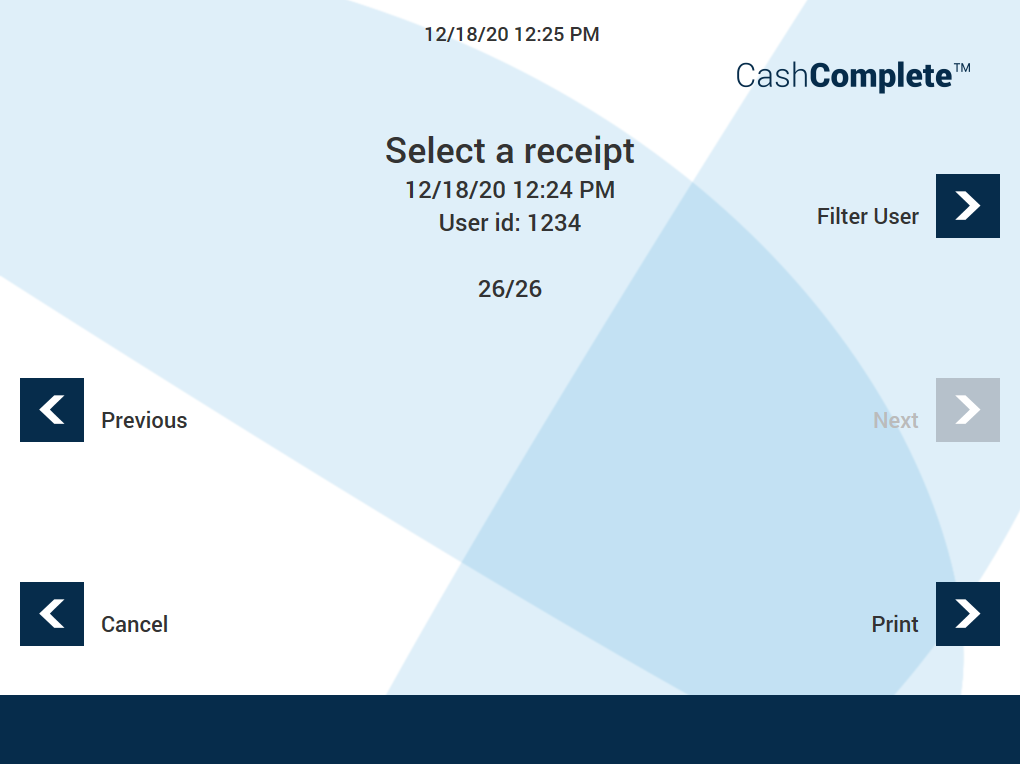
Use the PRINT RECEIPT HISTOR view a machine's receipt history and print a receipt.
You can select a specific date and print a receipt associated with a specific user.
UI item | Description |
|---|---|
Select a receipt | Use the Previous and Next buttons to select the receipt you want to open. |
| Use to go to an earlier receipt. |
| Use to go to a later receipt. |
Filter User | Use to go to the Enter User ID screen where you enter the user ID to select a user. |
Cancel | Select to go return to the previous screen. |
Select to show the selected receipt. | |
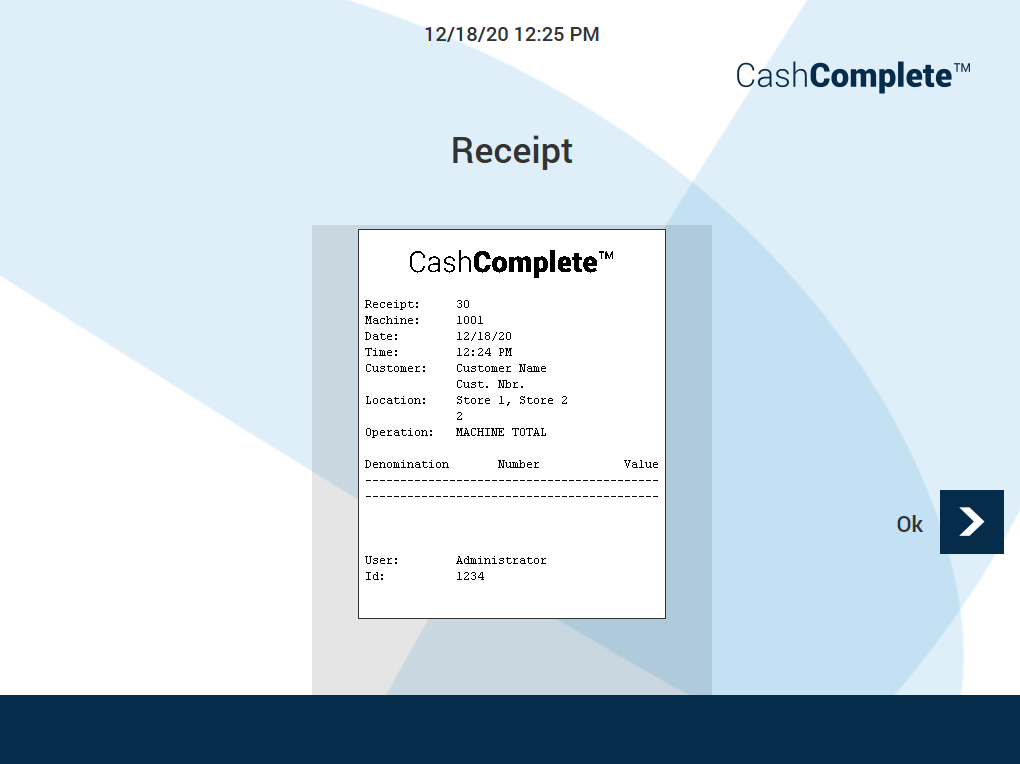
Receipt | Shows the receipt ID. |
Machine | Shows the machine ID. |
Date | Shows the date the receipt was created. |
Time | Shows the time the receipt was created. |
Customer | Shows the customer name and number. |
Location | Shows the location, for example, the store name. |
Operation | Shows the type of operation. |
Denomination | Shows the start time of the period the receipt spans. |
Number | Shows the end time of the period the receipt spans. |
Value | Shows of the notes and coins in the machine per denomination. |
User | Shows the name of the user who printed the receipt. |
Id | Shows the ID of the user who printed the receipt. |
Ok | Select to return to the previous screen. |


See also