Configuring the software settings for RCS-900/N-11
Use this procedure to configure the software for RCS-900/N-11.
Find the the table describing Parameters for hardware and software settings for HCM in the validator specification for your currency.
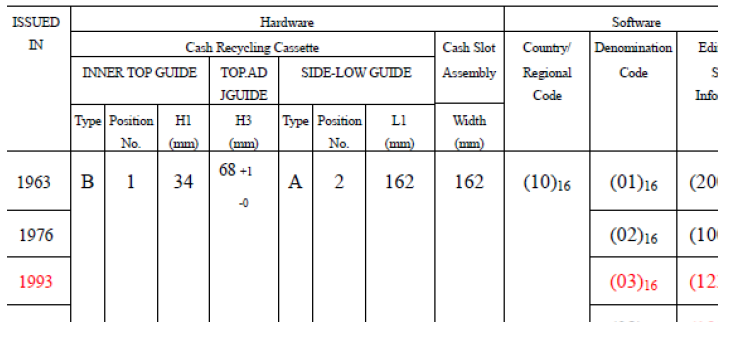
You can find the specification on
SCAN NET\Products\Note Handling Equipment\HCM\Specifications Bill Validators\Product Specifications of ZERO Bill Validator for your currency.Open the lower cabinet and find out the cassette order and denomination configuration for each cassette.
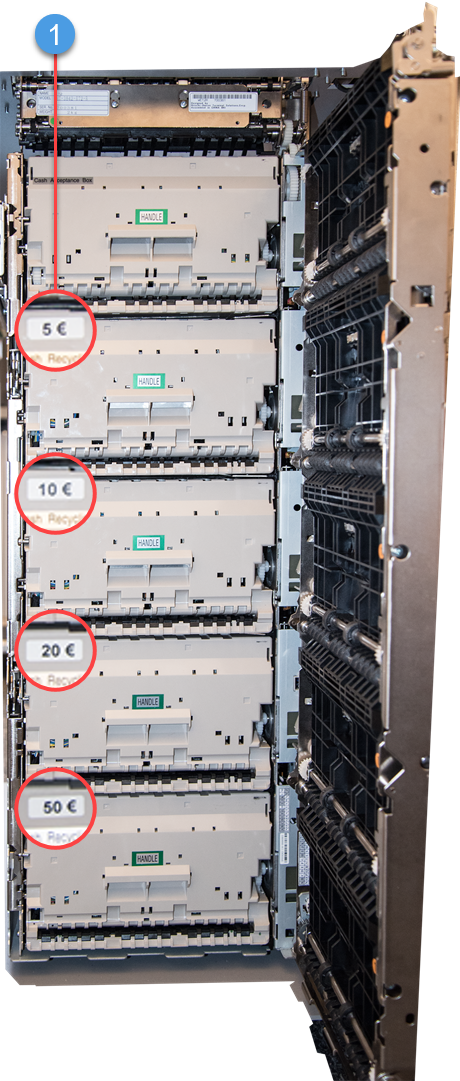
1. Denomination
Find and open the
[installation folder]\resources\static\configuration\Read.repositoryfile.Edit the line for the cassettes in the
Read.repositoryfile, enter denomination code/currency code.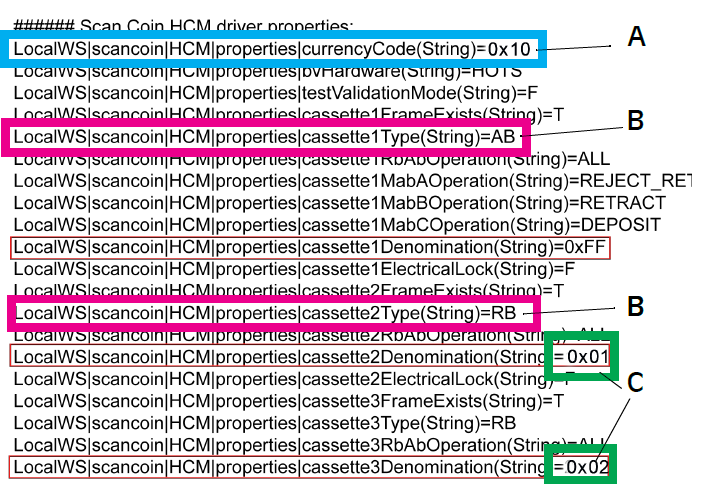
Item
Code
Description
A
currencyCode(String)
Enter 0x(Country/Regional Code) - use the number in parentheses. See example 0x10 for USD.
B
type(String)
RB = Recycling box AB= Acceptance box
C
Denomination(String)
Enter 0x(Denomination Code) use the number in parentheses
See example Denomination(String)=0x01 for a one USD note from 1963 and Denomination(String)=0x02 for a one USD note from 1976
Use Denomination(String)=0xFF to accept all denominations.
Save and close the file.
Find the Hardware Setting manual for HCM on
SCAN NET\Products\Note Handling Equipment\HCM\Manualsand open chapter INTERNAL GUIDES OF CASH RECYCLING BOX.Follow the instructions and change the inner top guide and the side low guide in the cassette according to the currency programmed for the cassette. You can find the measurements in the Parameters for hardware and software settings for HCM table in the Product Specifications of ZERO Bill Validator document.