Get Started
Caution
Installing a 3rd party software, not recommended by PayComplete™, on the computer can cause unexpected behavior and is not supported by PayComplete™.
PayComplete™ strongly recommends that you exclude the Connect on-Device folder when scanning for viruses.
Prerequisites:
Install the Connect on-Device software on the computer.
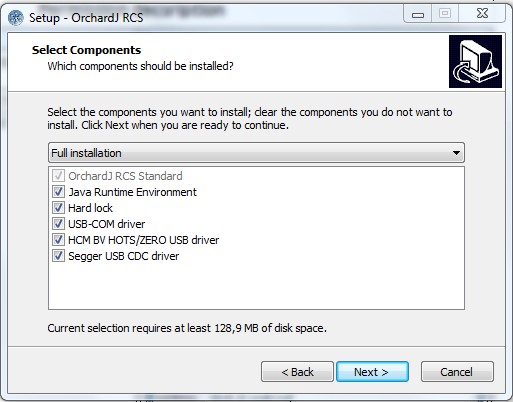
Note the following choices on the Select Components tab:
Java Runtime Environment — This option is required for the installation.
Hard lock — This option is used for the Note unit.
USB-COM driver — This option must be selected for the note unit.
Note
Hard lock is not available in software version 3.xx.xx and later.