Daily operations
Use the DAILY OPERATIONS screen to select the type of task you want to complete.
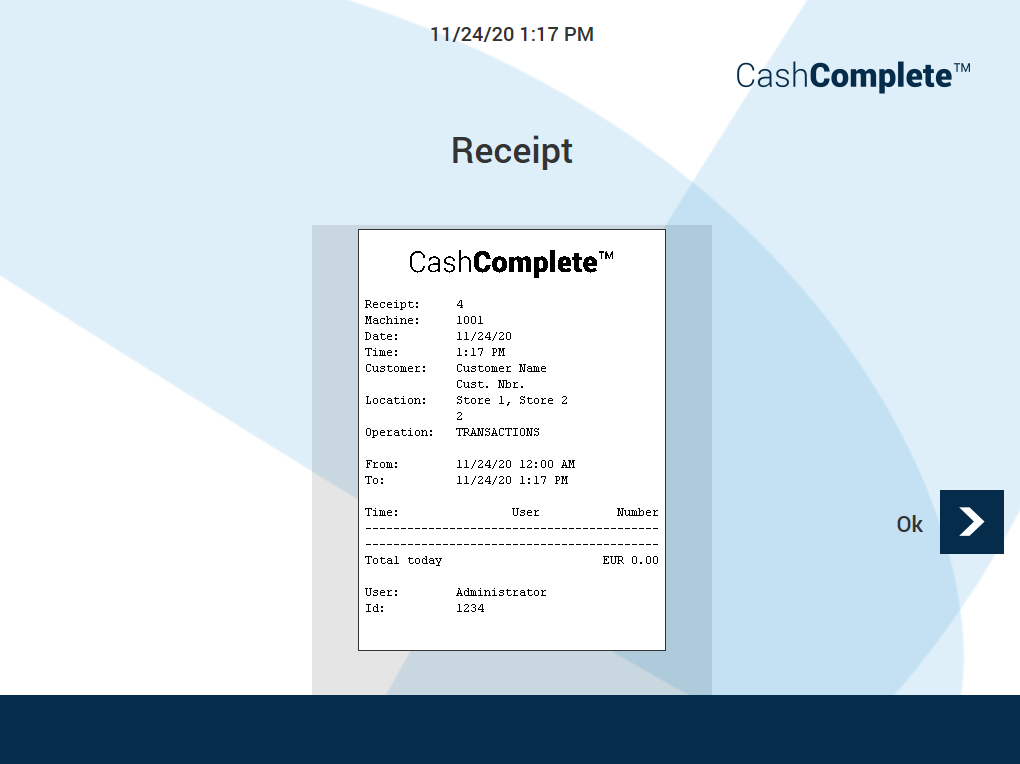
UI item | Description |
|---|---|
Receipt | Shows the receipt ID. |
Machine | Shows the machine alias. |
Date | Shows the date the receipt was created. |
Time | Shows the time the receipt was created. |
Customer | Shows the customer name and number. |
Location | Shows the location, for example, the store name. |
Operation | Shows the type of operation. |
From | Shows the start time of the period the receipt spans. |
To | Shows the end time of the period the receipt spans. |
Time | Shows local time. |
Total | Shows the sum of the total transactions. |
User | Shows the user who made the transactions. |
Id | Shows the ID of the user who made the transactions. |
Ok | Select to return to the previous page. |
See also