User balance and recent transactions
Prerequisites:
Install Connect on-Device version 3.41.0 or later to use the Recent transactions feature.
The user's role requires these permissions:
VIEW_RECENT_TRANSACTIONS
VIEW_USER_BALANCE
This function only works in conjunction with Connect. It does not work in offline mode.
Use this function to view your balance and recent transactions when signed in to Connect on-Device.
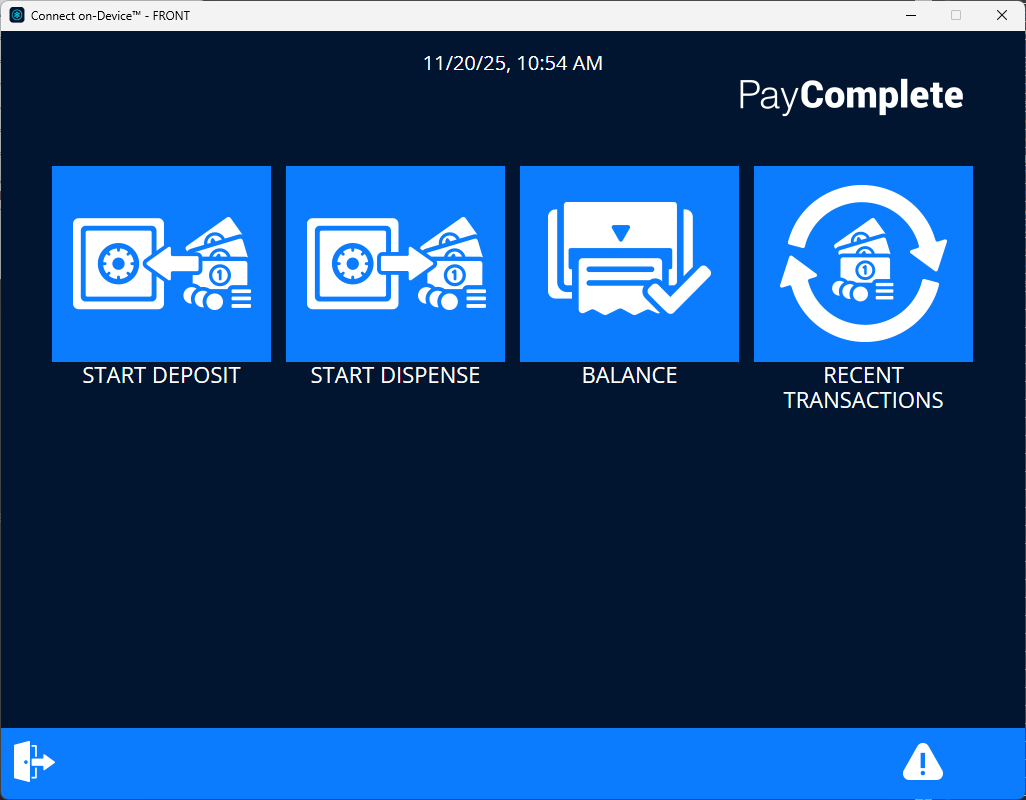
RECENT TRANSACTIONS
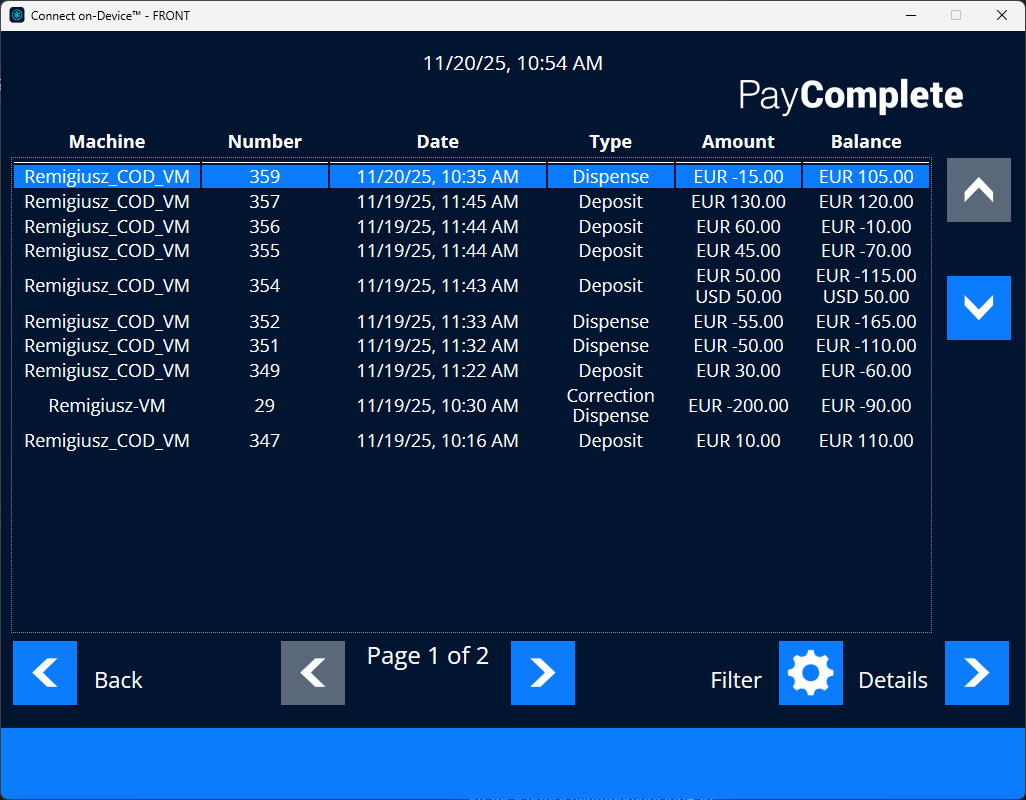
RECENT TRANSACTIONS shows a detailed view of your latest transactions.
The view shows:
Machine name
Transaction sequence number
Transaction date per local machine time
Transaction type (including correction transactions)
Total transaction amount and currency
Balance when the transaction was completed
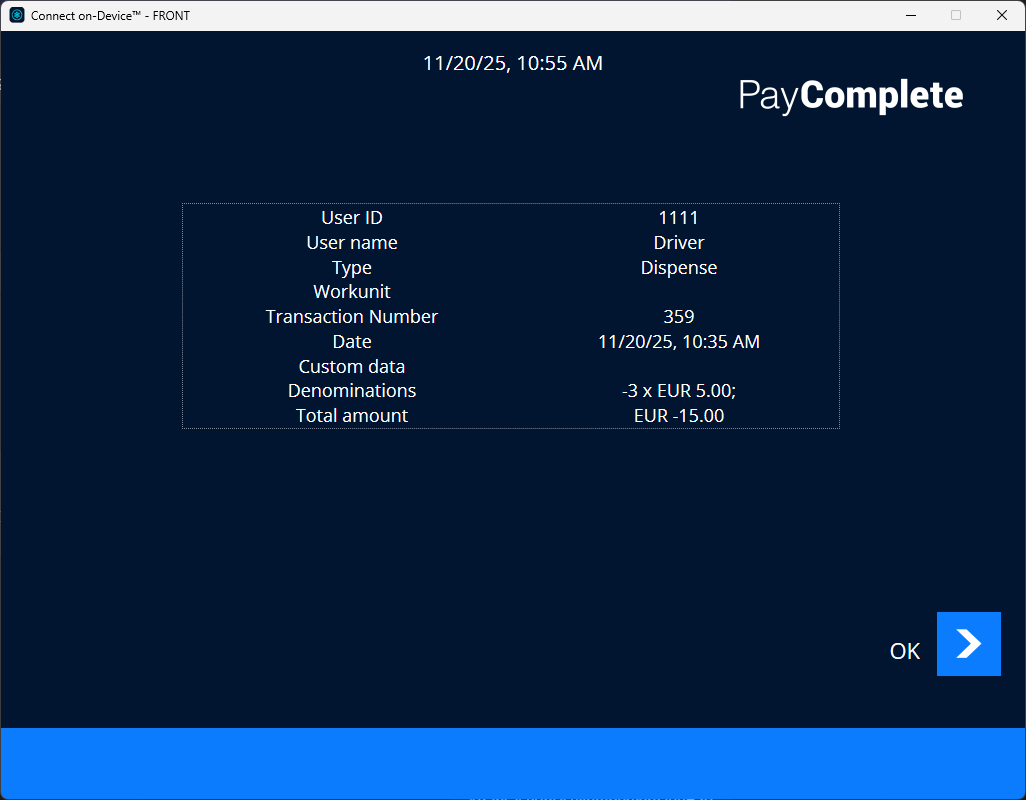
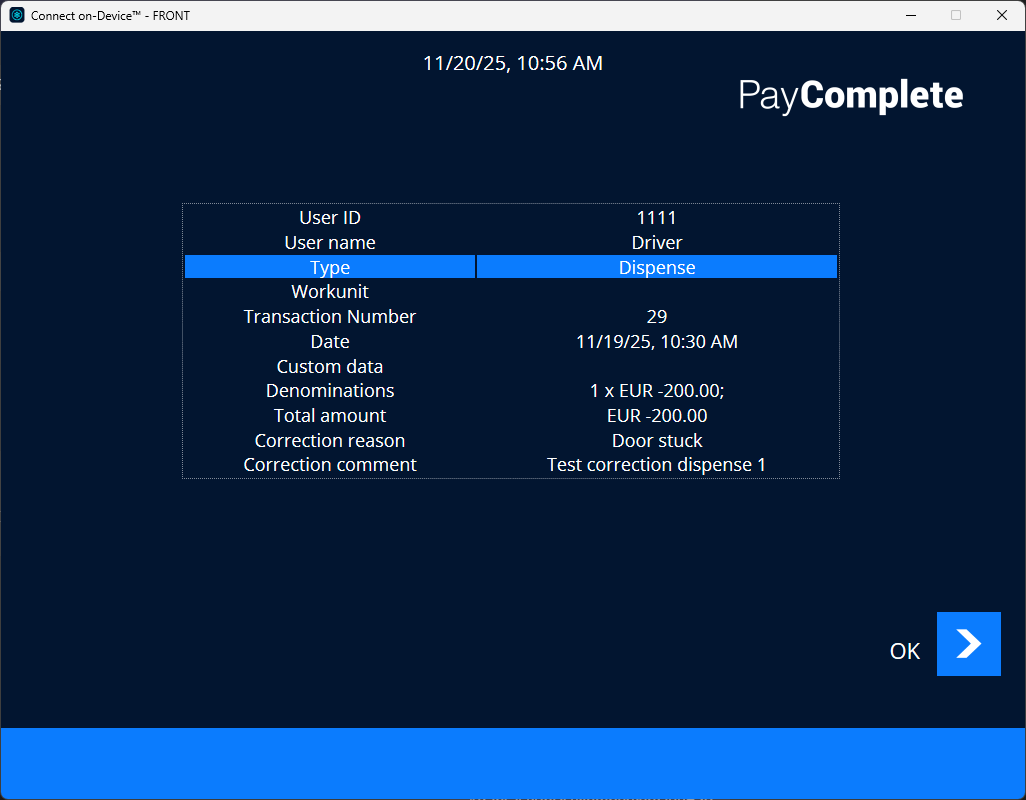
By selecting one of the transactions in the RECENT TRANSACTIONS view, you get additional details about the selected transaction:
Machine user ID
User name
Work unit
Transaction number
Date/time
Custom data
Denomination details
Total amount
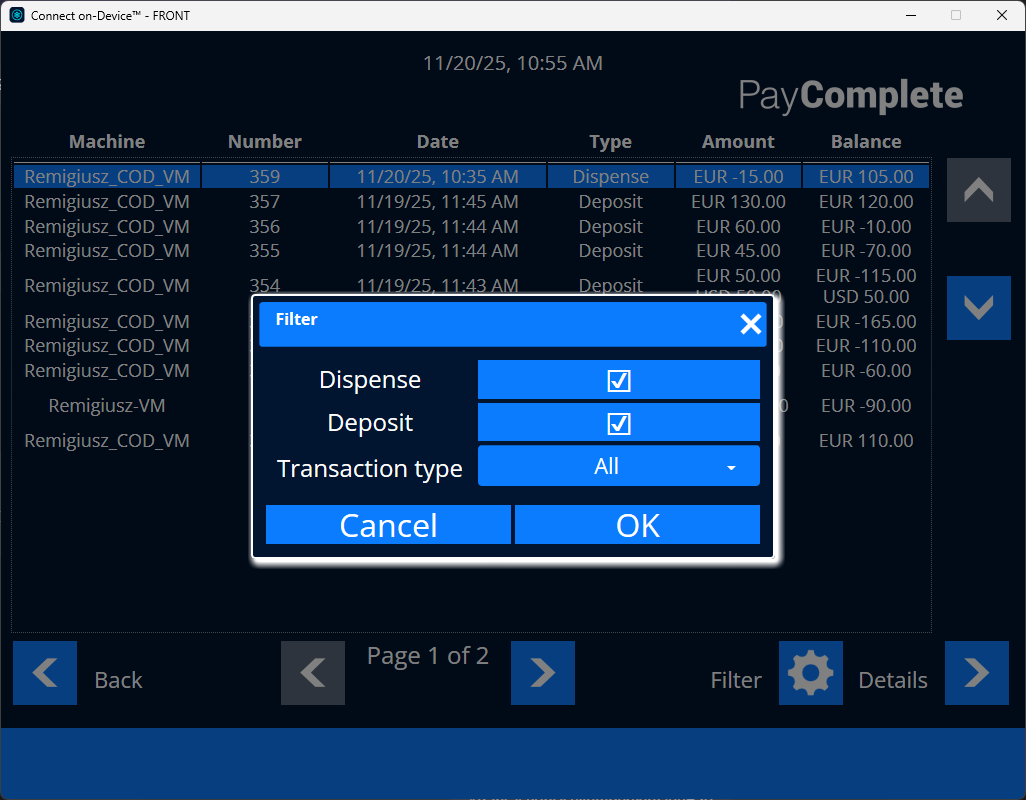
You can filter the view by these transaction types:
Dispens
Deposit
Correction transaction
When you filter on 'Correction transactions', the details view shows the correction reason. A correction transaction only has a total balance. It has no denomination, so denominations are not shown.
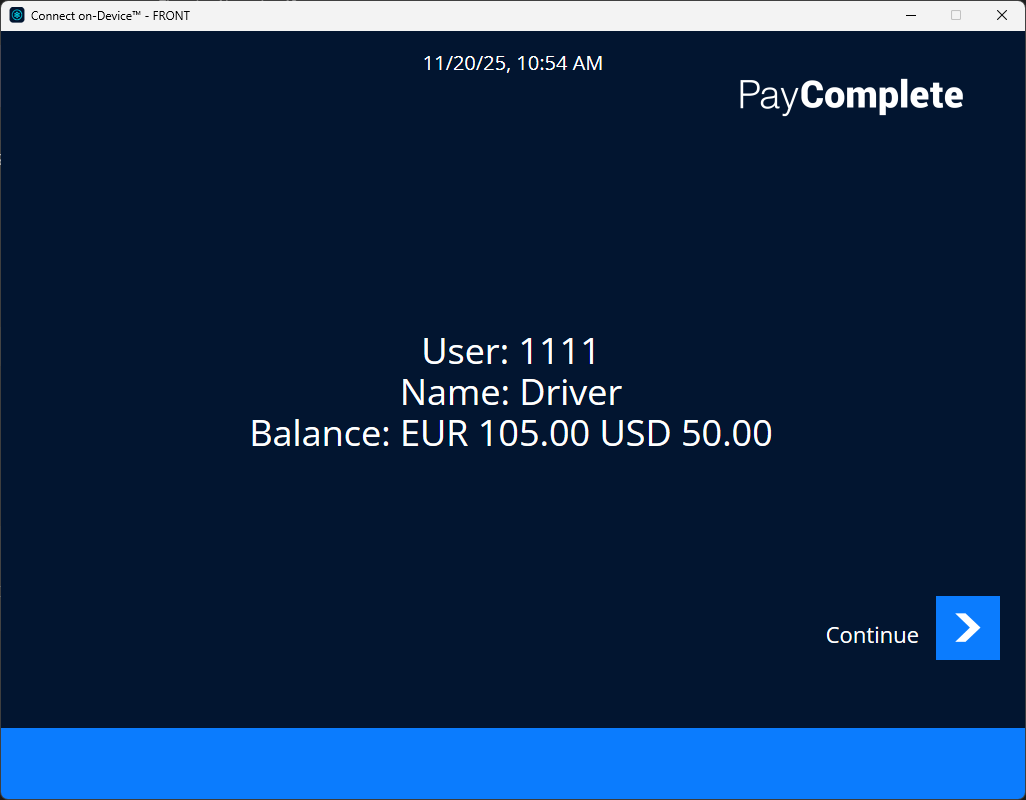
BALANCE
BALANCE shows your current balance per currency
Showing recent transactions
View recent transactions to get an overview of your recent transactions.
Sign in to Connect on-Device.
Select RECENT TRANSACTIONS.
To filter on a transaction type, select Filter
 and then select the transaction type you want to filter on.
To view details for a transaction, select the transaction in the list and then select Details.
Showing balance
View balance to get information about your current balance per currency.
Sign in to Connect on-Device.
Select BALANCE.