Maintenance view
Prerequisites:
The maintenance data was generated in Connect on-Device. This requires Connect on-Device version 3.42.0 or later.
The maintenance log has been enabled in Connect on-Device.
For more information, see Maintenance log.
In Connect, you need the 'Mainteance view' permission to view the Maintenance view.
When a technician performs maintenance on a machine, it presents an opportunity to collect data on the lifecycle of both the machine and its components. The technician registers the collected data in Connect on-Device. Connect on-Device then sends the registered maintenance data to Connect. The maintenance events are stored in the Connect database. In the Connect user interface, you extract the information as metadata for the machines.
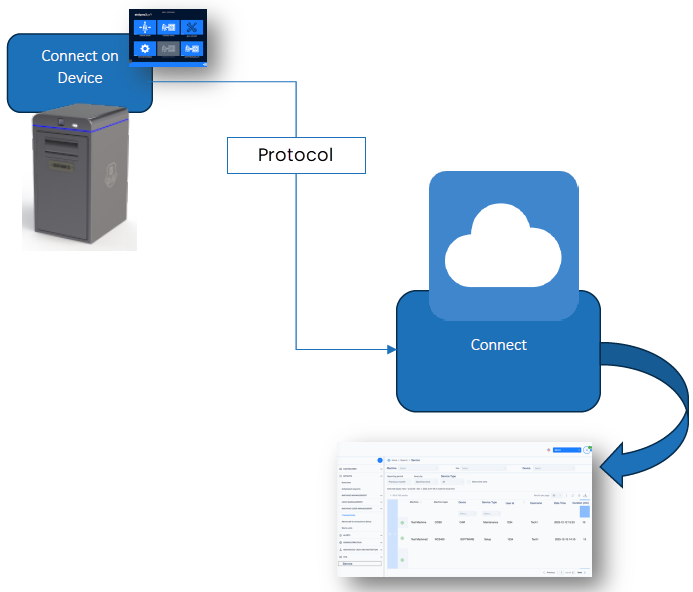
Viewing Maintenance actions
In Connect, you need the 'Mainteance view' permission to access the Maintenance view.
Sign in to Connect.
Expand ADMINISTRATION and select MAINTENANCE VIEW.
Select Maintenance actions.
The Maintenance actions view shows:
Machine name
Machine type
User ID
User name
Received date
Components
Types — Shows the type of maintenance that was done
You can filter the Maintenance view on these criteria:
Site
Machine
User ID
Maintenance type
Reporting period
Time zone
Selected days — Use this to search for the maintenance that was done a specific day.
Maintenance details
You can select the + icon next to a maintenance row to show details for that maintenance action. The details view shows:
Components — The components involved in the maintenance
Reason — The options are: Maintenance call or Scheduled maintenance
Types — These are some examples: Maintenance, Replacement, Reparation, Setup.
Comments — The comment added by the maintenance staff after completing the maintenance
Duration — The amount of time spent on the maintenance
Note
You can filter the columns where it makes sense. Select a column heading to show the search field.