Log view
Use the log view to get information on the change history of the system.
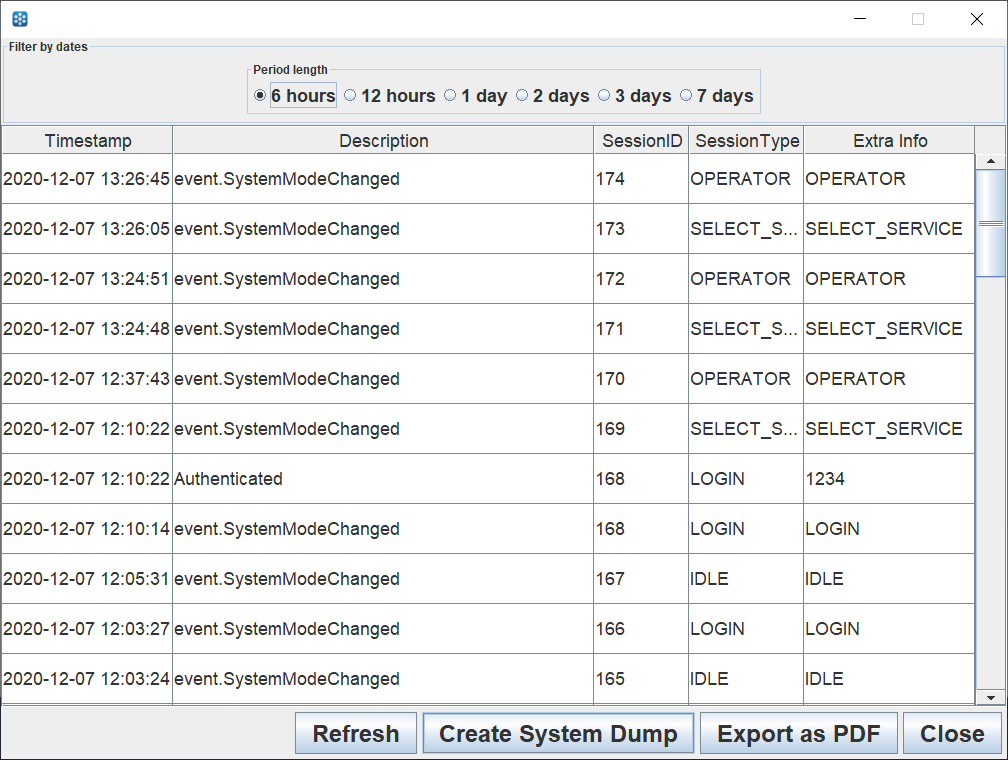
UI item | Description |
|---|---|
Period length | Select the period you want information for. The options are:
|
Timestamp | Shows the time when the event occurred. |
Description | Shows a brief description of the event. |
Session ID | Shows the ID of the session when the even occurred. |
Session Type | Shows the session type of the session when the event occurred. |
Extra Info | Shows additional information on the event. |
Package | Select to open a view showing system details. |
Refresh | Select to refresh the log view. |
Create System Dump | Select to generate a system dump file. The file is saved to the Connect on-Device installation folder. |
Export as PDF | Select to print the log to a .pdf file. |
Close | Select to close the log view and return to the Operator view. |
See also