Receipt Builder Project properties
Use the Receipt Builder Project properties to specify the files that make up the receipt, specify the last printed data file and the default data file.
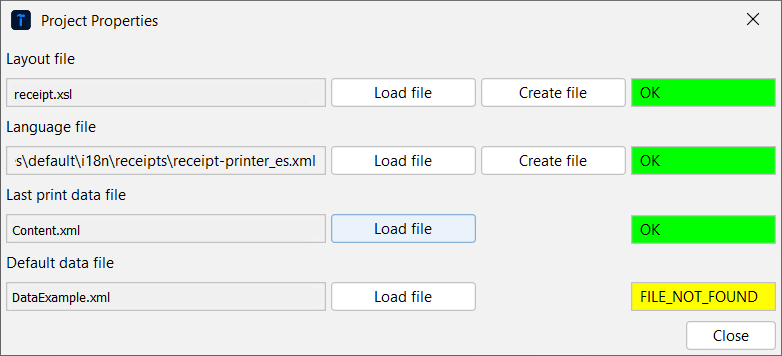
Status indicators show the state of the property;
Green means that there are no errors or warnings.
Yellow means that there is a warning. The Last print data file gets a yellow status before the receipt is printed for the first time.
Red means that there is an error that needs to be corrected before saving the project.
UI item | Description |
|---|---|
Layout file | Select Load file to specify an existing XSL layout file for the receipt layout. Select Create file to create a new XSL layout file for the receipt layout. |
Language file | Select Load file to specify an existing language file, for example, a standard language file or a language file common for all receipts. Select Create file to create a local language file used only by the current receipt. It's mandatory to specify a language file even if you don't intend to use it. |
Last print data file | Select Load file to specify the receipt file containing receipt parts that you can use to generate, for example, barcodes and custom data. |
Default data file | Select Load file to specify a data example file, for example, dataExample.xml. |
Close | Select to save the changes and close Project properties. |