Device Status view
Use the Status for devices view to view information on the current status of connected devices.
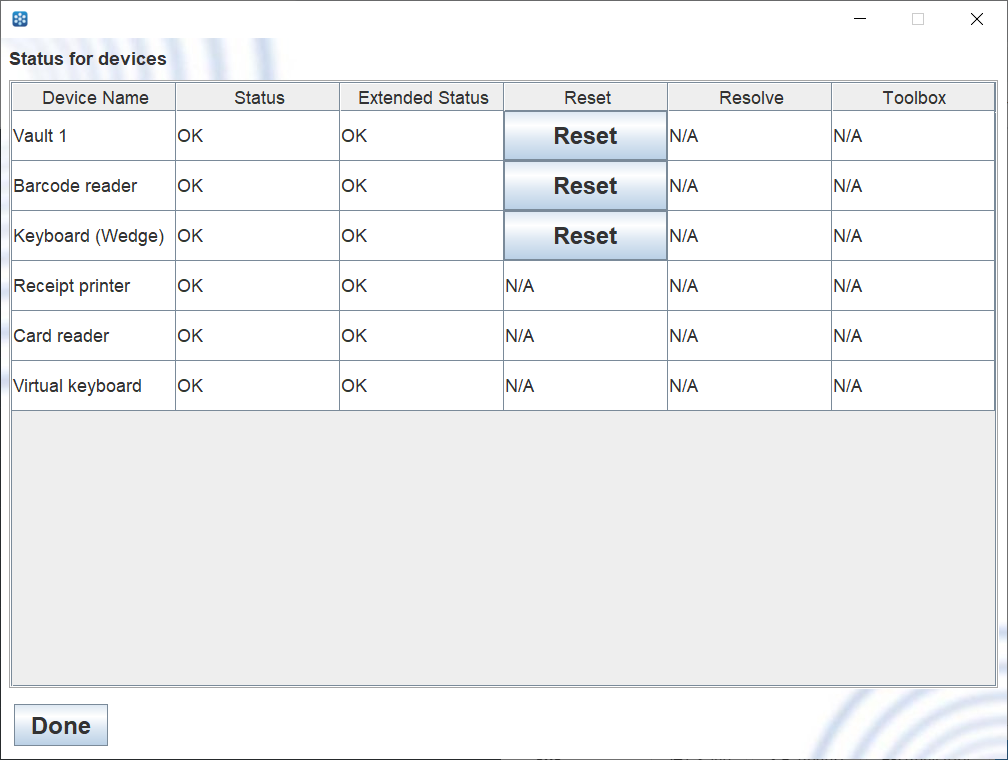
UI item | Description |
|---|---|
Device Name | Shows the name of the connected device |
Status | Shows the status of the connected device. |
Extended Status | Shows additional information on the device, such as the number of items. |
Reset | Select to reset the device. |
Resolve | Shows a Resolve button if the device has a resolvable error. |
Toolbox | Shows additional commands for the device. |
Done | Select to close the view and return to the Operator view. |
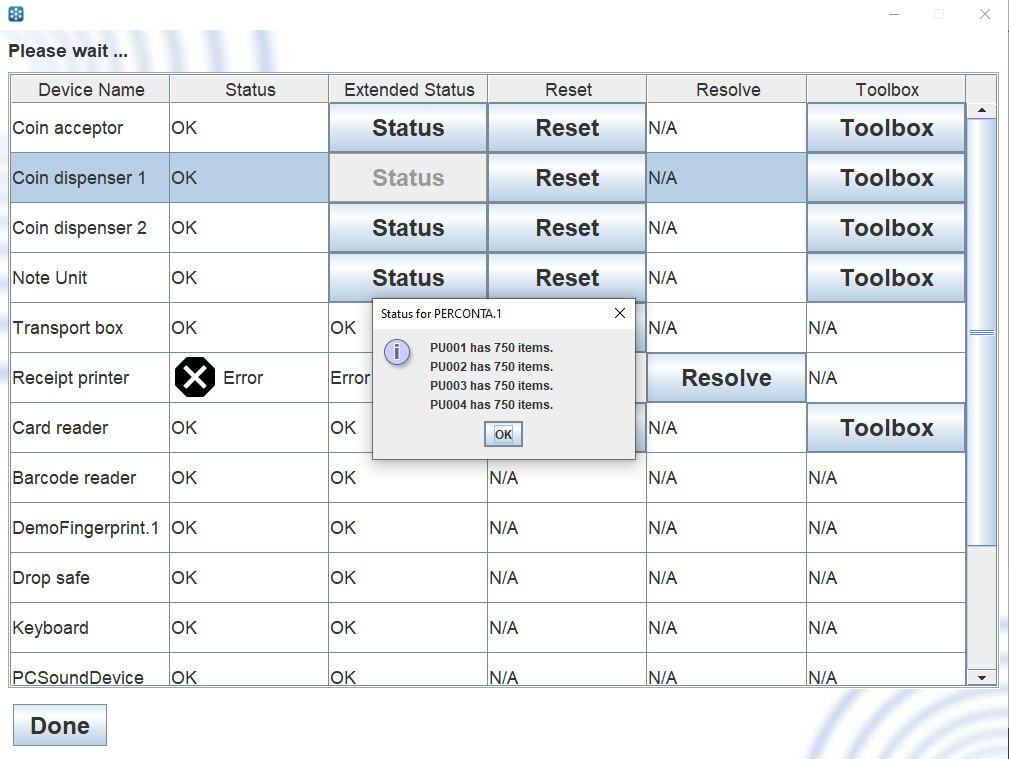
Extended Status shows additional information for the device, such as the number of items.
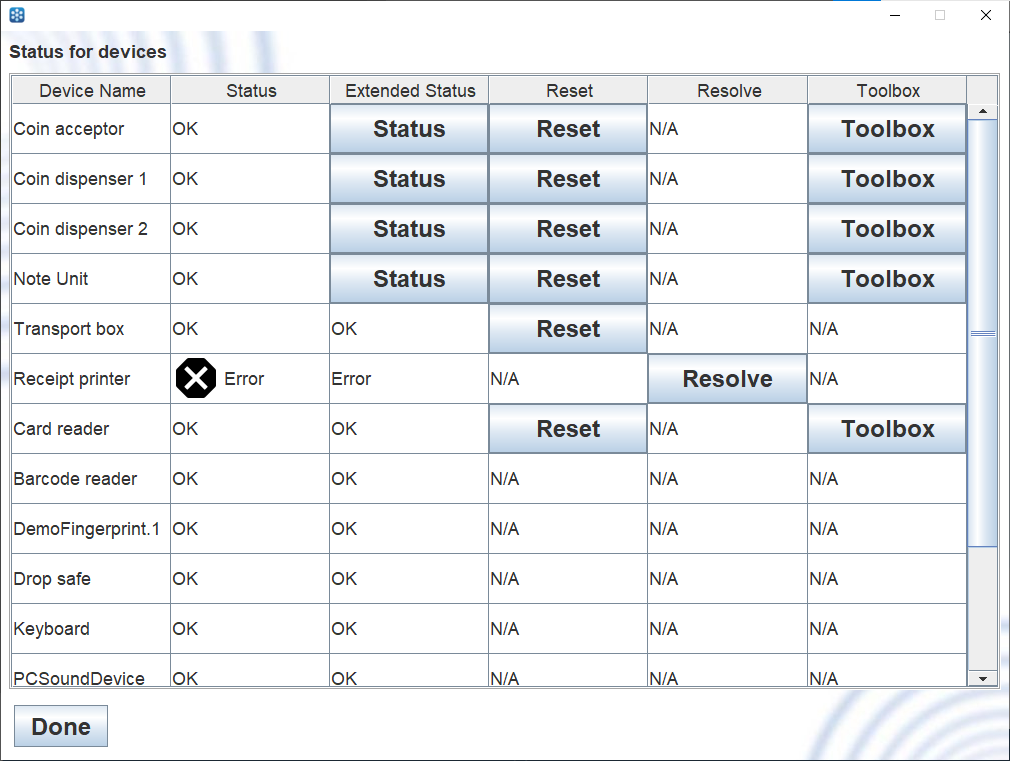
The Resolve button is shown when the device has a resolvable problem.
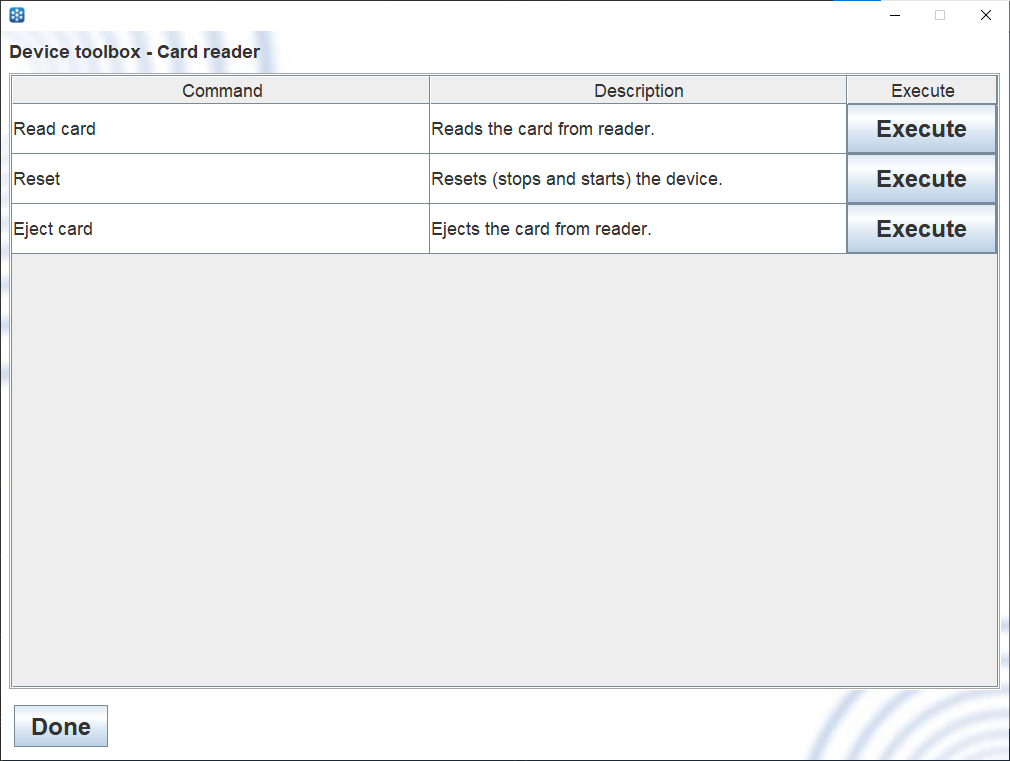
Toolbox shows commands that you can execute on the device, such as reading a card.
See also