VaultConnect stand-alone installation wizard - Connect Setup page
Use the SetupConnect page to enter the connection details for your Connect node.
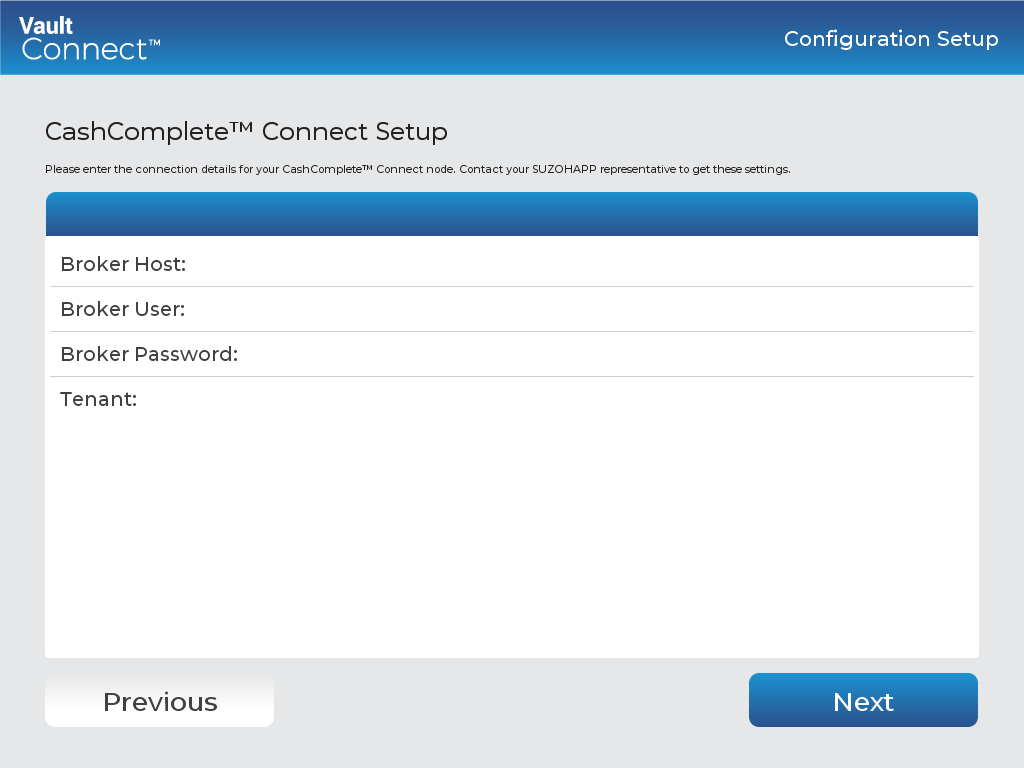
UI item | Description |
|---|---|
Broker Host | Enter the broker host for the specific node and region. |
Broker User | Enter the user name for selected tenant. |
Broker Password | Enter the password for selected tenant. |
Tenant | Enter the tenant name. |
Previous | Click to go to the previous page. |
Next | Click to go to the next page. |
See also
Installing VaultConnect on a stand-alone computer
VaultConnect stand-alone installation wizard - Select Destination Location page
VaultConnect stand-alone installation wizard - Installation mode page
VaultConnect stand-alone installation wizard - Select Components page
VaultConnect stand-alone installation wizard - Ready to Install page
VaultConnect stand-alone installation wizard - Configuration Setup page
VaultConnect stand-alone installation wizard - Edition Selection page
VaultConnect stand-alone installation wizard - Vault Setup page
VaultConnect stand-alone installation wizard - Vault Content Setup page
VaultConnect stand-alone installation wizard - Predefined tills (Retail Edition)
VaultConnect stand-alone installation wizard - Users and Roles page
VaultConnect stand-alone installation wizard - Hardware page
VaultConnect stand-alone installation wizard - Connect Setup page