Operator view
Use the OPERATOR VIEW to perform tasks, such as viewing and clearing errors, accessing license and device information, and viewing logs.
Note
You access the OPERATOR VIEW either from the Service menu when you are already signed in as a user with the required permissions. You can also access the OPERATOR VIEW from the Status window by entering a user name and a pin code.
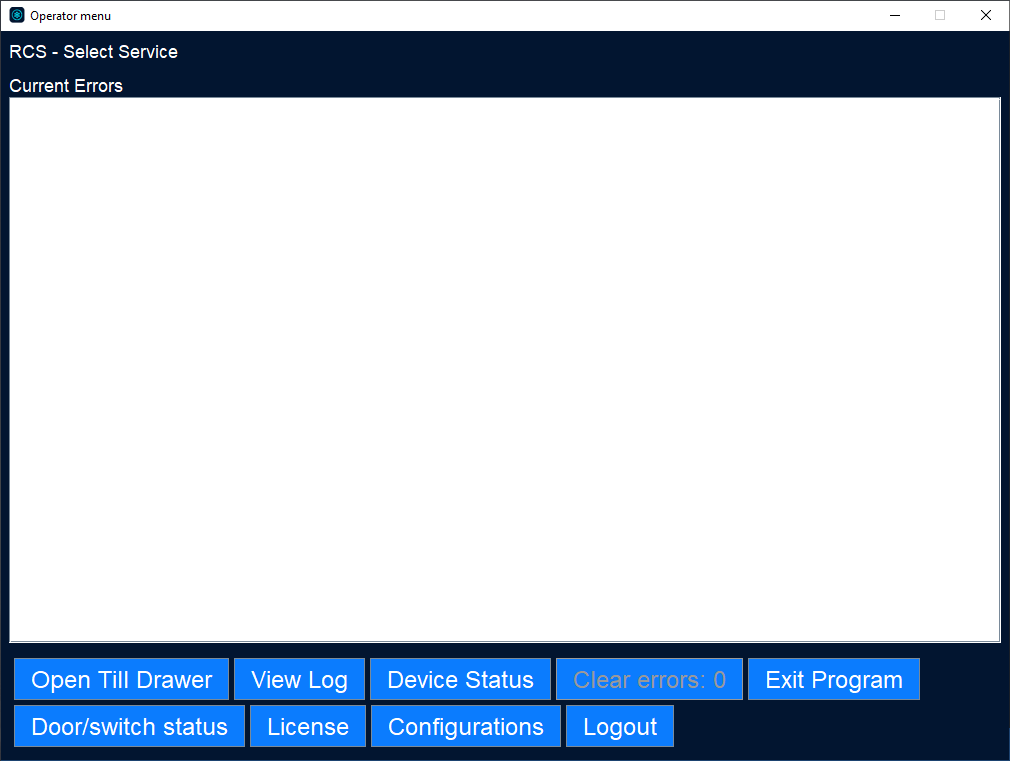
UI item | Description |
|---|---|
Current Errors | Shows a list of current and uncleared errors. |
View log | Select to open a change log. |
Device Status | Select to open a view showing the status of the connected devices. |
Clear errors | Select to clear all the listed errors. |
Exit program | Select to close VaultConnect. |
License | Select to open a view showing license details. |
Package | Select to open a view showing system details. |
Logout | Select to sign out of Operator view and return to the VaultConnect Administration view. |
See also