Main screen
Use the VaultConnect main screen to select the type of task you want to complete.
Note
What you can see on the main screen depends on the permissions associated with your role.
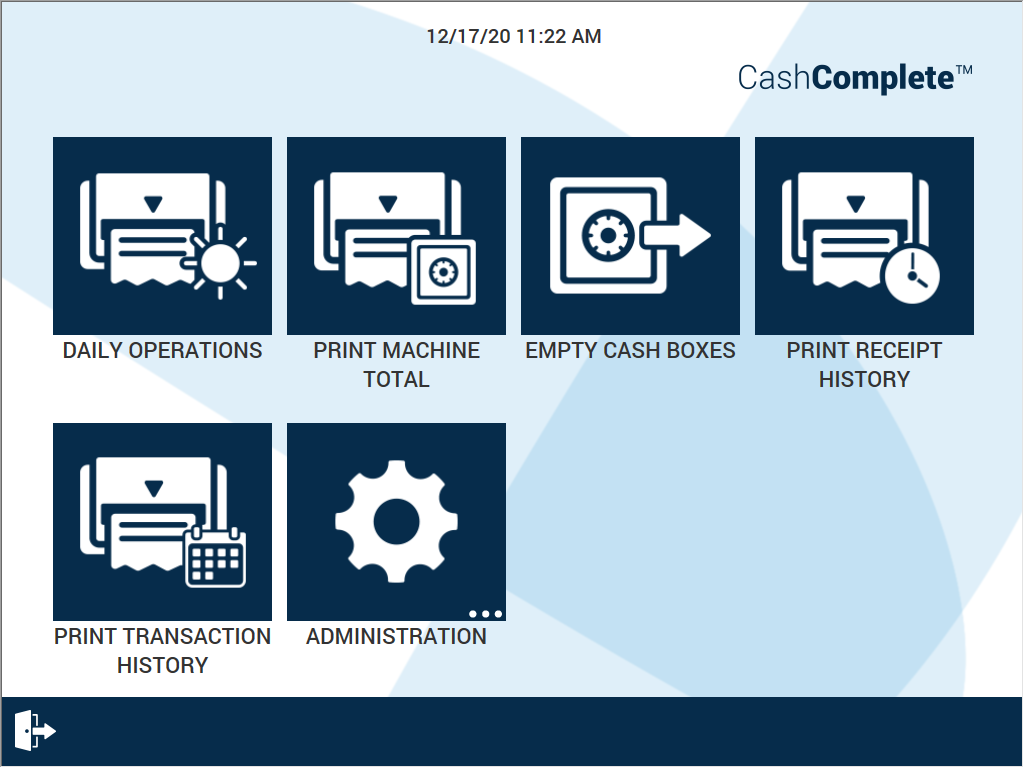
UI item | Description |
|---|---|
DAILY OPERATIONS | Select to print a receipt of the transactions for the day. |
PRINT MACHINE TOTAL | Select to print a receipt of the total contents of the machine. |
EMPTY CASH BOXES | Select to empty a box and reset it. |
PRINT RECEIPT HISTORY | Select to see the receipt history for a specific user or for all users. Select the receipt you want to print. |
PRINT TRANSACTION HISTORY | Select to print the transaction history for a specific date. You can print the transaction history for all users or for a specific user. |
ADMINISTRATION | Select to complete different tasks. The options are:
|
| Select to sign out. |
