Retrieve logs example
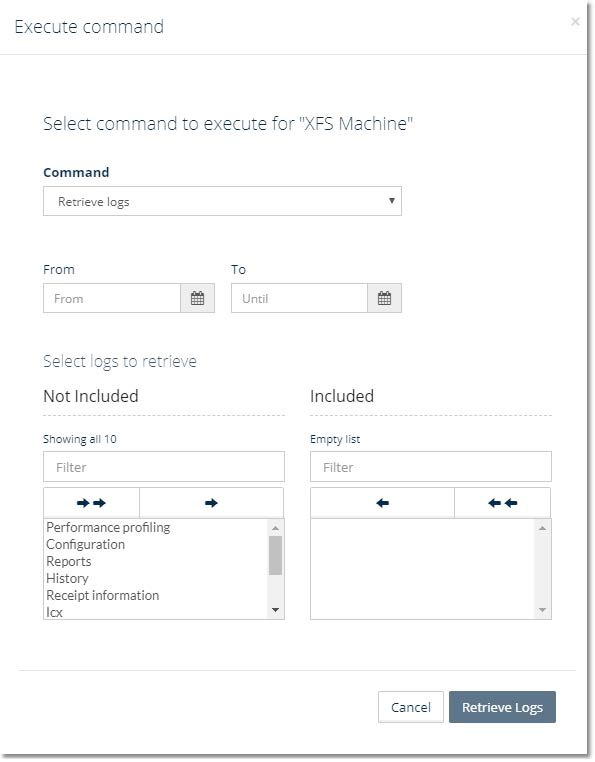
In Connect, you can retrieve log files, such as trace files, configuration files, and runtime data files, from a machine:
You can specify a time span for which you want to retrieve trace files. You must specify a start time but can leave the end time empty. If you leave the end time empty, the current date and time are used as the end time.
The time span is only relevant for trace files because there is only one configuration file and one runtime data file for each hardware device.
Tip
You retrieve log files from the Cash Operations dashboard by using the Execute command button on the Commands tab.
Note
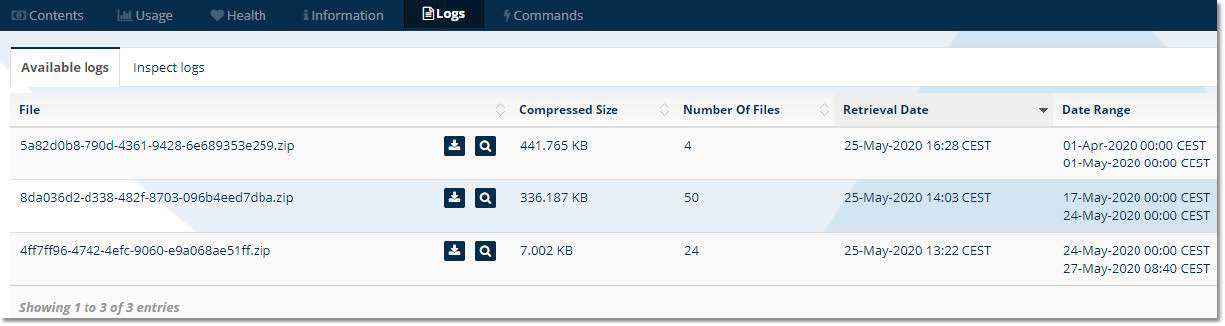
Retrieved log files are available from the Logs tab.
Retrieving trace logs may take some time depending on the number of retrieved files.