Filling/Emptying menu
Use the Filling/Emptying menu to perform filling, emptying,, filling, and transportation operations on a machine.
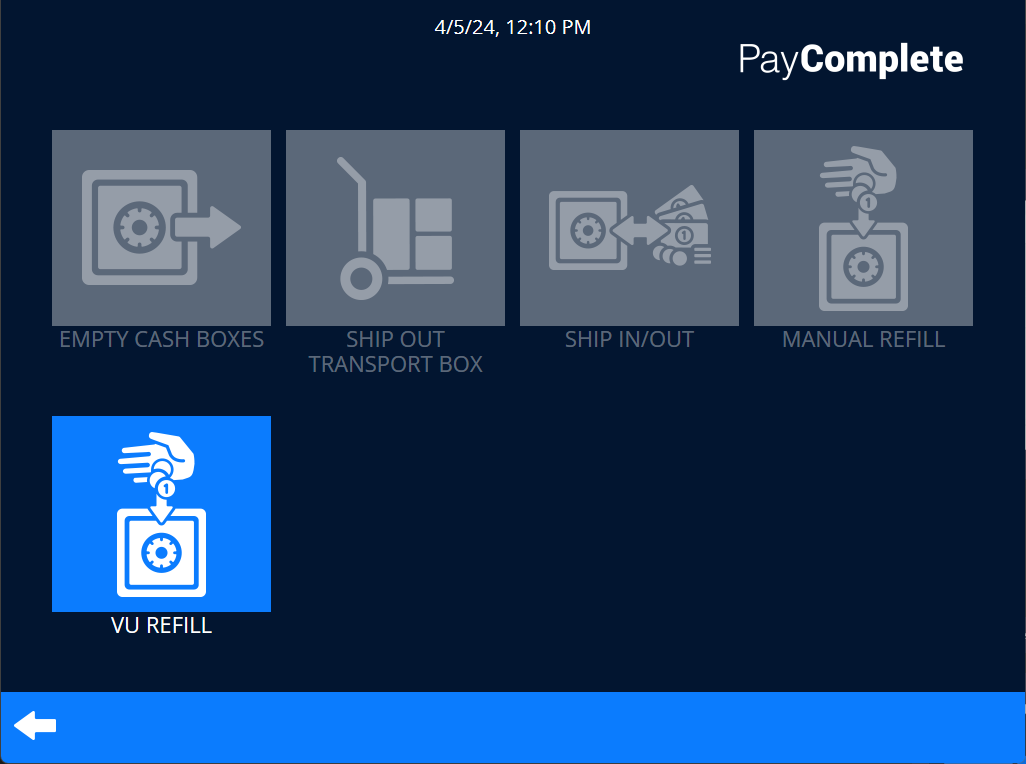
UI item | Description |
|---|---|
Empty cash boxes | Select to empty cash boxes |
Ship out transport box | Select to ship out the transport box |
Ship in/out | Select to ship cash in or out |
Manual refill | Select when you want to manually refill a machine |
VU refill | Select when you want to refill a vending unit |
| Select to return to the main menu. |

Vending unit management panel
Use the Vending unit management panel to reset, print, refill all or a specified coil, and test a coil when an error has been cleared.
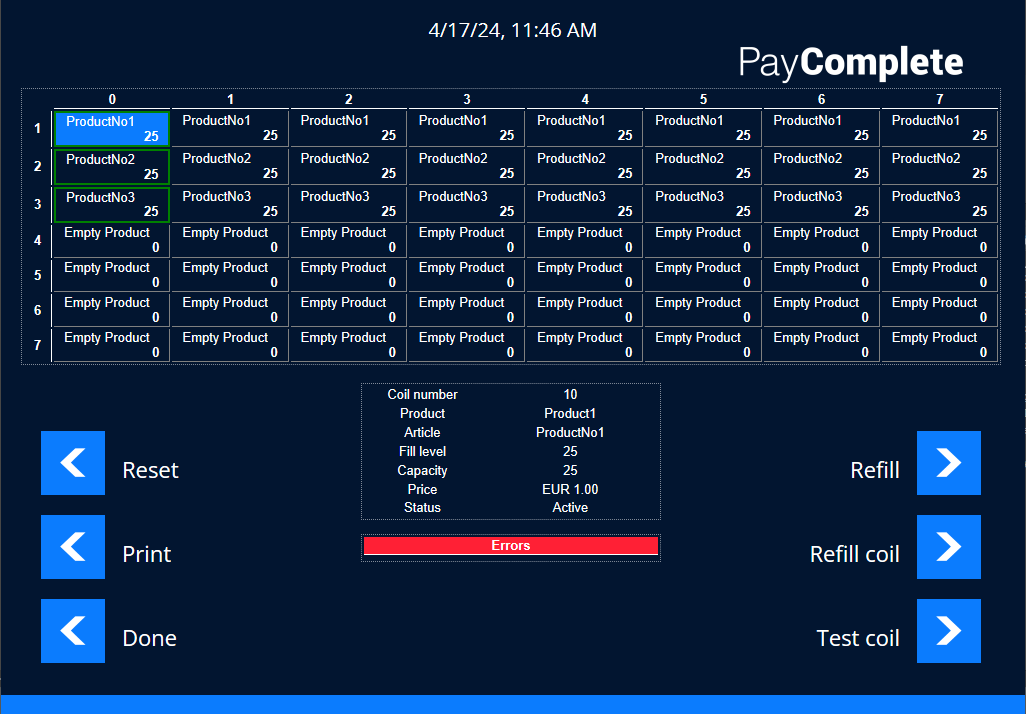
UI item | Description |
|---|---|
Reset | Select to reset the vending unit to its original configuration. |
Select to print a receipt with information about the products, the quantity, the value of the products, and the total value of all the products in the vending unit. | |
Done | Select to return to the previous menu. |
Refill | Select when you want to refill all the coils. Coils are created empty so you must use this command to fill the coils the first time. |
Refill coil | Select when you want to refill a specified coil. |
Test coil | Select to turn the coil once to make sure it works as expected |
| Select to return to the main menu. |
Refill coil
Use the Refill coil dialog box to refill or lock the selected coil.
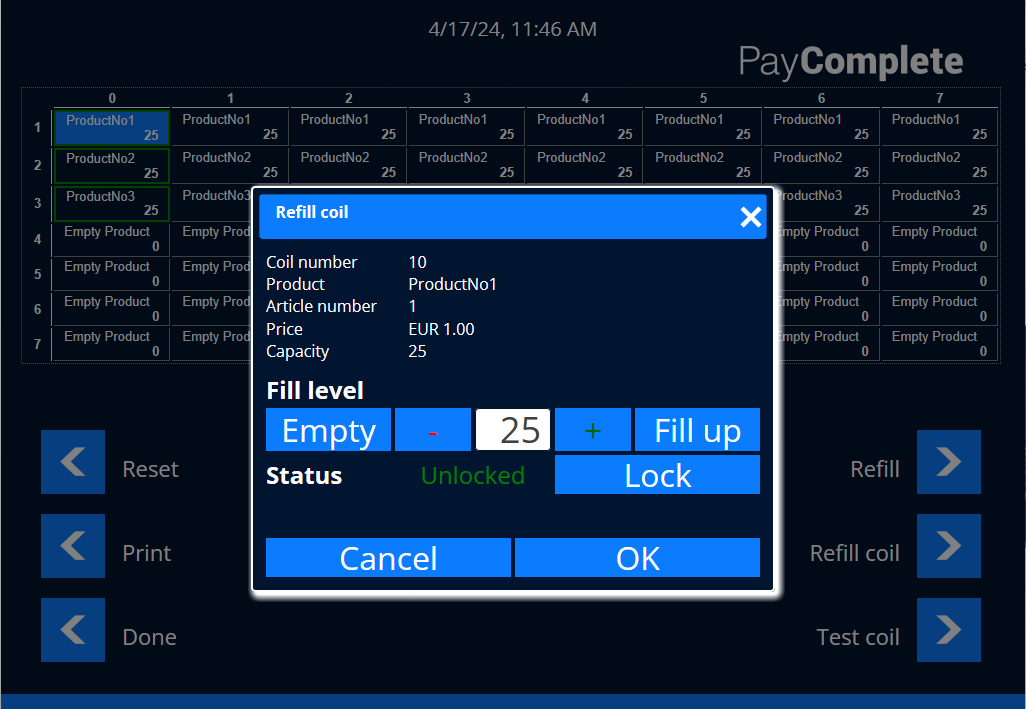
UI item | Description |
|---|---|
Coil number | Shows the number of the selected coil. |
Product | Shows the configured product name. |
Article number | Shows the product's article number. |
Price | Shows the price of the product. |
Capacity | Shows the maximum refill count. This number is configurable up to 25. |
Empty | Select to empty the coil. |
Fill up | Select to fill up the configured number of products. |
Fill level | Use Fill level to configure how many pieces you are filling into the vending unit. Select + to increase the number of products and - to decrease the number of products. |
Lock | Select to manually lock a coil, for example, when you are aware there is some technical issue with the coil. |
Cancel | Select to return to the Vending unit management panel. |
OK | Select to confirm the changes and close the dialog box. |