Editing texts
Use the Texts dialog box to edit translations.
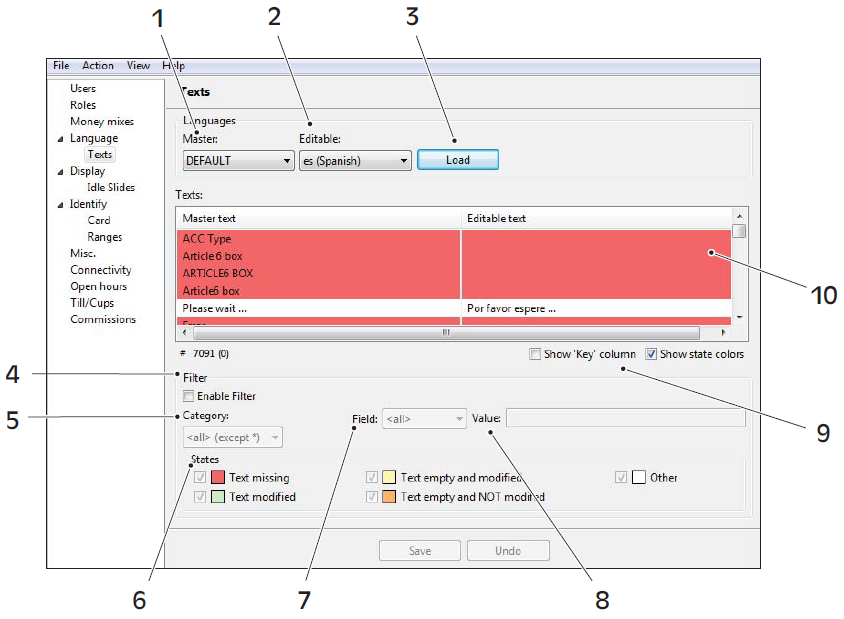
1. Master language 2. Editable language 3. Load language 4. Filter 5. Category 6. States 7. Field 8. Value 9. Show 'Key' column 10. Editable text
Task. To edit texts
In the navigation pane, expand Language and select Texts.
Click the empty space in the Editable text field, next to the text string you want to translate.
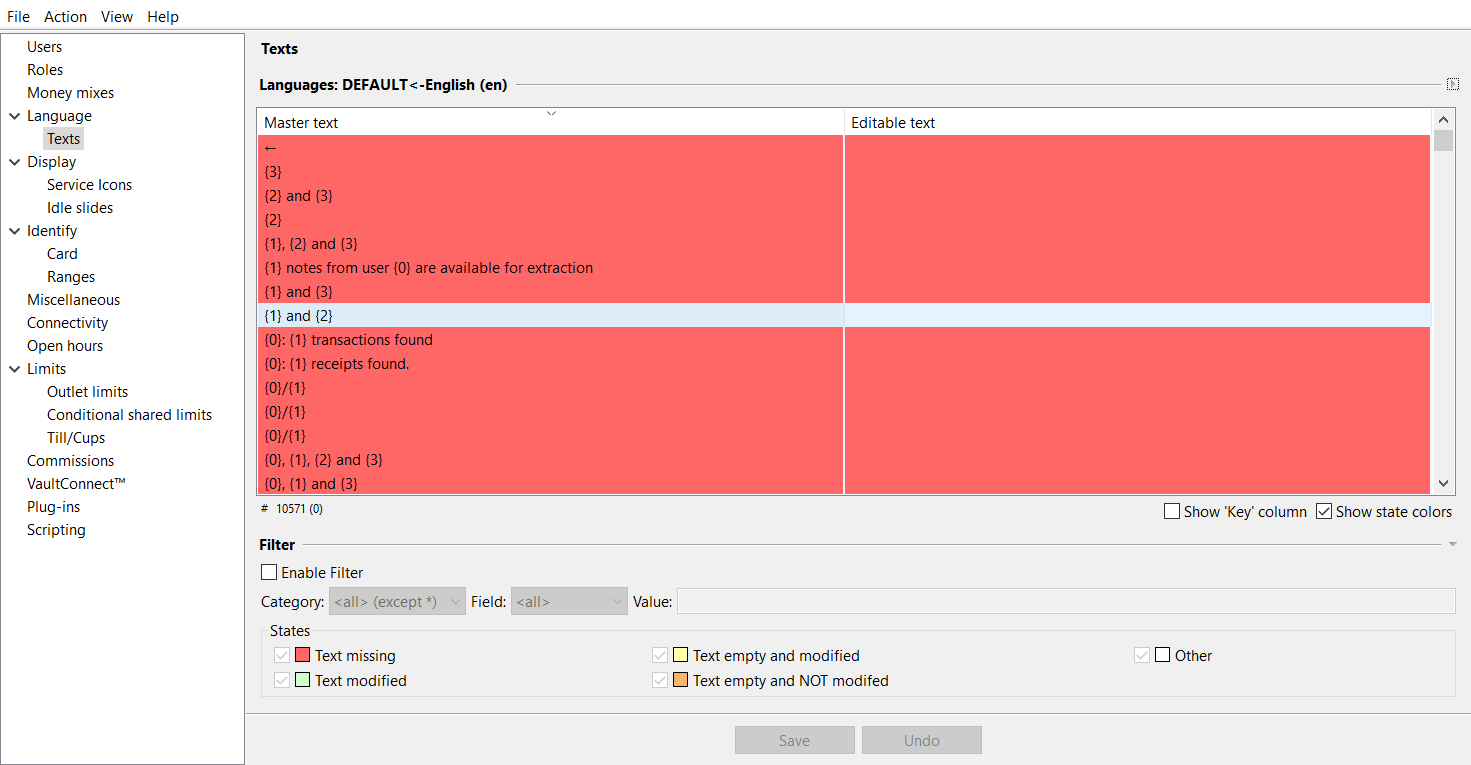
Enter the translated text.
Move to the next text string you want to translate or click Save to save your changes.
Tip
Click Undo to discard unsaved changes.
Note
If you are trying to edit the name of a coin mix but do not get the result you expected, make sure the Display name in the Money mixes tab is empty.