Operator view
Use the Operator view to perform operator tasks on the machine.
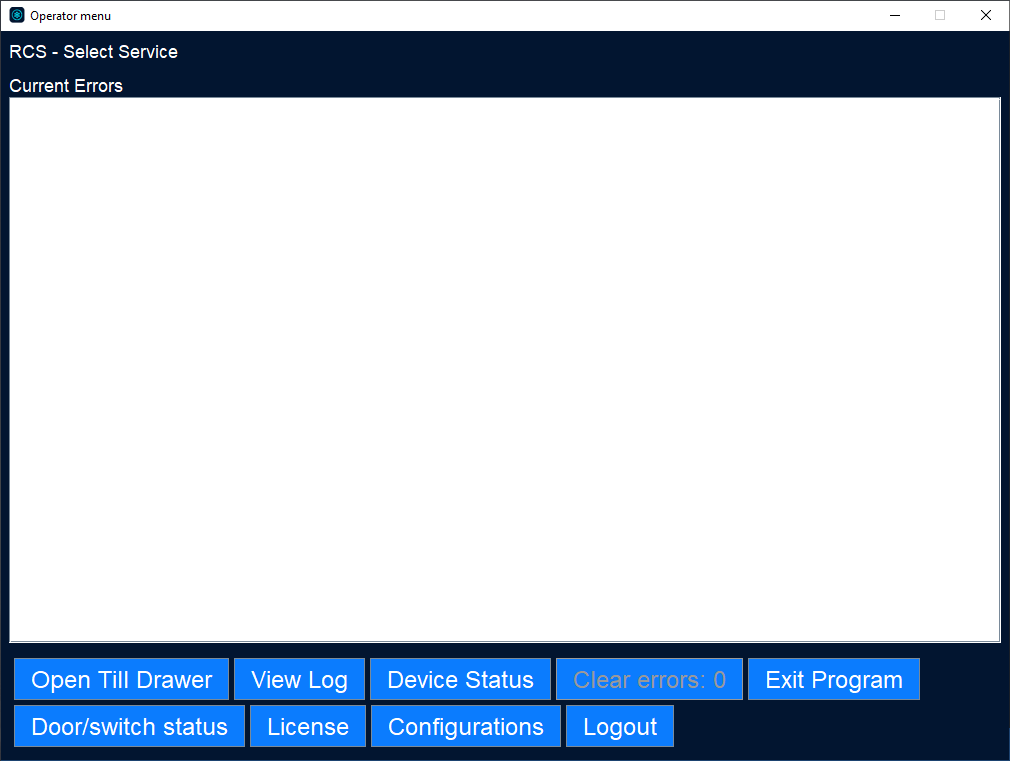
UI item | Description |
|---|---|
Open Till Drawer | Select to activate the electronic till drawer lock and release the drawer In case of an error. |
View Log | Select to view all the log messages in the machine and all actions performed during a specified period in time. Note that this is an engineering tool to be used only under guidance. |
Device Status | Select to reset modules in case of fault and displays the status of the different devices. |
Guide | Prerequisite: permission TROUBLESHOOTING_GUIDE. Shows a troubleshooting guide. Note that Acrobat Reader 7.1.0 or higher has to be installed in order to use this function. |
Clear Errors: | Shows that one or more devices/modules contain an error (where X equals number of errors on the screen). It is used once errors have been cleared via the device status menu to clear the error from the device. |
Exit program | Select to log off and closes Connect on-Device. |
Door/switch status | Select to check the condition of the door/switches. |
License | Select to open the License handling dialog box where you manually update a license. |
Configurations | Select to show the UUID, Connect on-Device version, Java version, and the current configuration packages of a machine and to export this information. |
Log out | Logs out the user and returns to the Start screen provided all errors have been cleared. |